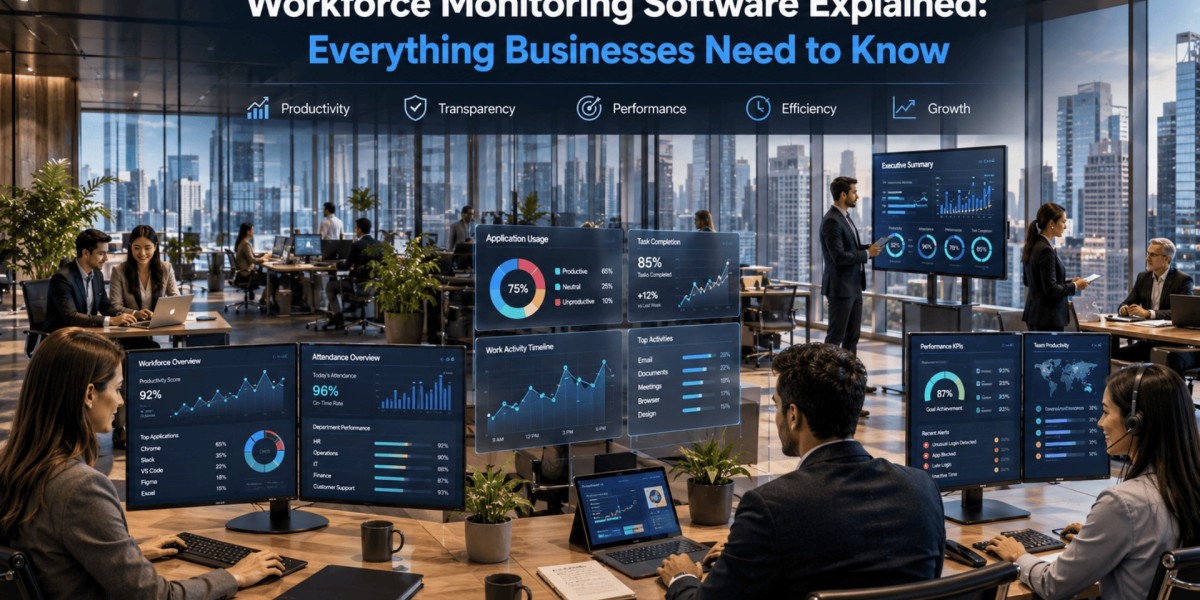
How can organizations improve productivity, maintain accountability, and gain better visibility into daily operations without disrupting employee workflows?
The answer lies in using workforce monitoring software. It enables businesses to understand how work is performed, identify productivity trends, optimize resource allocation, and support informed decision-making through actionable insights. Rather than focusing solely on tracking activity, modern monitoring solutions help organizations improve efficiency, strengthen compliance, and create more productive work environments.
Whether employees work remotely, in hybrid settings, or from the office, monitoring technology gives managers the information they need to support teams while maintaining transparency and operational consistency.
How Does Employee Monitoring Work?
Workforce monitoring software collects work-related activity from company-managed devices and transforms it into meaningful reports and analytics. The information gathered helps businesses evaluate workflows instead of relying on assumptions.
Common monitored activities include:
- Application and website usage
- Active and idle working hours
- Attendance and login history
- Task completion patterns
- Productivity trends
- Screen activity (where permitted)
- Time spent on projects
The collected information is typically displayed through intuitive dashboards that help managers identify opportunities for improvement without manually reviewing individual activities.
What Benefits Can Businesses Expect?
Organizations of every size can benefit from greater workplace visibility when monitoring is implemented responsibly.
Increased Productivity
Employees gain better awareness of how their time is spent, while managers identify inefficient processes and remove unnecessary bottlenecks.
Better Time Management
Accurate work-hour tracking supports fair performance evaluation and improves project planning.
Improved Remote Workforce Visibility
Distributed teams become easier to manage through centralized dashboards that provide real-time operational insights.
Smarter Business Decisions
Historical reports reveal long-term productivity trends, helping leadership allocate resources more effectively.
Enhanced Compliance
Monitoring assists organizations in maintaining internal policies, documenting business activities, and supporting regulatory requirements where applicable.
Which Features Should You Look For?
Not every monitoring platform offers the same capabilities. Businesses should prioritize solutions that provide actionable insights instead of overwhelming amounts of raw data.
Important features include:
- Real-time activity monitoring
- Automated time tracking
- Productivity analytics
- Website and application usage reports
- Attendance management
- Screenshot capture (optional and configurable)
- Custom productivity categories
- Team performance dashboards
- Role-based access controls
- Detailed reporting and exports
Scalability, ease of deployment, and user-friendly reporting should also be considered before making a long-term investment.
How Can Businesses Implement Monitoring Successfully?
Technology alone doesn't improve performance—implementation does.
Follow these best practices:
- Clearly communicate monitoring policies.
- Explain how collected information supports productivity rather than surveillance.
- Train managers to interpret reports fairly.
- Focus on improving workflows instead of measuring every minute.
- Review collected insights regularly to identify business improvements.
- Respect employee privacy and comply with applicable labor regulations.
Open communication builds trust and encourages employees to view monitoring as a business improvement tool rather than a disciplinary system.
Why Security Matters Alongside Productivity
Monitoring workplace activity is only one part of protecting organizational assets. Businesses also need strong cybersecurity measures to safeguard confidential information.
This is where data loss prevention software becomes valuable. It helps organizations prevent unauthorized sharing of sensitive files, detect unusual data movement, enforce security policies, and reduce the risk of accidental or intentional information leaks.
When monitoring insights are combined with strong security controls, organizations create a safer digital workplace while maintaining operational efficiency.
Is Monitoring Suitable for Small Businesses?
Absolutely.
Small businesses often operate with limited resources, making visibility into daily operations even more important. Monitoring solutions help smaller teams:
- Improve accountability
- Reduce administrative effort
- Track project progress
- Optimize staffing decisions
- Measure productivity consistently
- Support business growth with data-driven insights
Many modern platforms offer flexible pricing, making advanced monitoring capabilities accessible even for growing companies.
Choosing the Right Solution
Selecting the right platform depends on your organization's goals rather than simply choosing the product with the most features.
Consider these evaluation criteria:
- Ease of implementation
- Reporting quality
- Customization options
- Integration with existing business tools
- Security standards
- Scalability
- Customer support
- Employee privacy controls
The ideal solution should deliver meaningful insights while remaining simple for both administrators and employees to use.
You can also watch this video: Emp Monitor | Boost Workplace Productivity with Employee Monitoring Software
Summary
Modern workforce monitoring software helps businesses gain visibility into employee productivity, improve operational efficiency, and support informed decision-making. When implemented transparently and ethically, it becomes a valuable management tool that enhances collaboration, optimizes workflows, and contributes to sustainable business growth. Combining productivity insights with strong security practices allows organizations to create efficient, secure, and accountable workplaces.
Frequently Asked Questions
What is workforce monitoring software?
It is a business solution that helps organizations track work-related activities, analyze productivity, monitor attendance, and generate reports that improve operational efficiency.
Is employee monitoring legal?
In many regions, employee monitoring is legal when organizations comply with applicable labor laws, privacy regulations, and clearly communicate their monitoring policies.
Does monitoring reduce employee productivity?
When implemented transparently and used for process improvement rather than micromanagement, monitoring often helps employees manage time more effectively and supports better organizational performance.
What industries benefit the most?
IT services, customer support, healthcare, financial services, education, manufacturing, logistics, and professional services commonly use monitoring solutions to improve productivity and operational visibility.
Can monitoring software support remote and hybrid teams?
Yes. Modern solutions are specifically designed to provide consistent visibility across remote, hybrid, and office-based work environments, enabling managers to oversee performance regardless of location.