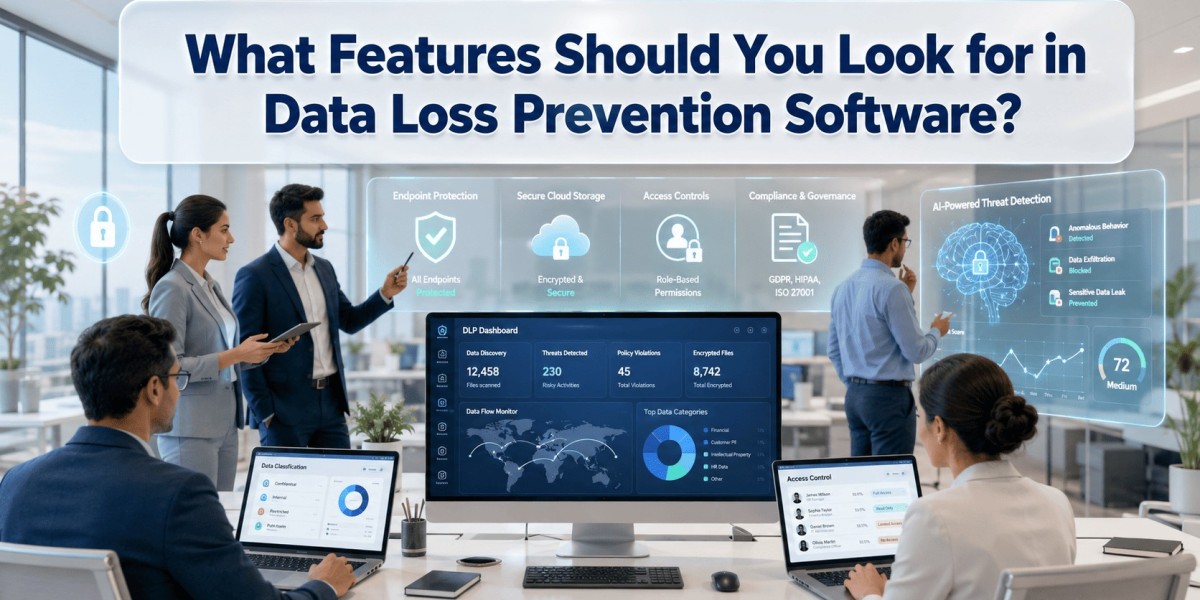
How can businesses prevent sensitive information from being leaked, stolen, or accidentally shared? The answer lies in choosing the right data loss prevention software that helps monitor, detect, and secure confidential data before it leaves your organization.
Whether you're managing remote employees, handling customer records, or complying with strict data protection regulations, selecting the right solution can significantly reduce security risks while maintaining business continuity.
What Is Data Loss Prevention?
Data Loss Prevention (DLP) is a security strategy that identifies, monitors, and protects sensitive information from unauthorized access, sharing, or accidental exposure. Data loss prevention software continuously monitors data movement across endpoints, networks, cloud platforms, and email systems to detect, prevent, and control the unauthorized transfer of sensitive data, ensuring confidential information remains protected at all times.
Organizations commonly use DLP solutions to secure:
- Customer information
- Financial records
- Employee data
- Intellectual property
- Business contracts
- Healthcare and legal documents
By enforcing security policies automatically, organizations can minimize human error while improving compliance.
Why Do Businesses Need Strong Data Protection?
Data breaches can happen because of:
- Accidental file sharing
- Insider threats
- Phishing attacks
- Lost or stolen devices
- Unauthorized cloud uploads
- Weak security policies
Without proper controls, even a small mistake can expose valuable company information. A proactive protection strategy helps reduce financial losses, maintain customer trust, and meet regulatory requirements.
Essential Features to Look For
When evaluating security platforms, focus on features that provide visibility, control, and automation.
1. Real-Time Data Monitoring
Continuous monitoring detects suspicious activities as they happen, allowing security teams to respond immediately.
Look for monitoring across:
- Endpoints
- Cloud storage
- USB devices
- File transfers
2. Content Inspection
Advanced inspection scans documents for sensitive information such as:
- Credit card numbers
- Personal identification
- Financial records
- Customer databases
- Confidential business documents
This ensures important information never leaves approved channels.
3. Policy-Based Protection
Every organization handles different types of sensitive data.
A good solution should allow administrators to create customized policies based on:
- Departments
- User roles
- File types
- Risk levels
- Geographic locations
Flexible policies improve security without interrupting productivity.
4. Endpoint Protection
Since employees work from offices, homes, and while traveling, endpoint protection has become essential.
The software should monitor:
- File copying
- USB activity
- Printing
- Clipboard actions
- Screen captures
These controls help prevent unauthorized data movement.
5. Cloud Security
Modern businesses increasingly rely on cloud platforms.
Strong cloud protection should monitor:
- Cloud storage
- Collaboration tools
- SaaS applications
- File synchronization
- External sharing
This keeps sensitive information secure regardless of where employees work.
6. Compliance Management
Many industries must comply with regulations such as GDPR, HIPAA, PCI DSS, or ISO standards.
Compliance features often include:
- Automated reporting
- Audit logs
- Incident history
- Risk assessments
- Policy enforcement
These capabilities simplify regulatory audits.
7. User Behavior Analytics
Behavior analysis identifies unusual employee activities before they become serious incidents.
Examples include:
- Unusual download volumes
- Repeated failed access attempts
- Large file transfers
- Access outside working hours
Early detection allows organizations to investigate potential threats quickly.
8. Automated Incident Response
Manual investigations consume valuable time.
Automation can:
- Block unauthorized transfers.
- Alert administrators instantly.
- Encrypt sensitive files.
- Quarantine risky activities.
- Generate detailed reports.
Automation reduces response time and limits potential damage.
How Does Integration Improve Security?
Security solutions become more effective when they integrate with existing business tools.
For example, organizations often connect them with identity management systems, SIEM platforms, endpoint security solutions, collaboration software, and even field force management software used by mobile teams. This unified approach provides better visibility across the entire business environment while simplifying administration.
Questions to Ask Before Choosing a Solution
Before investing, ask vendors:
- Does it support cloud and on-premises environments?
- Can policies be customized?
- Is deployment simple?
- How detailed are reporting capabilities?
- Does it scale with business growth?
- How quickly are threats detected?
- What customer support is available?
These questions help narrow down the best solution for long-term business needs.
Common Mistakes to Avoid
Many organizations make avoidable errors when selecting security software.
Avoid:
- Choosing based only on price
- Ignoring employee training
- Creating overly restrictive policies
- Neglecting cloud security
- Failing to review security reports regularly
- Overlooking future scalability
Balancing usability with protection leads to better adoption and stronger security.
Benefits of Choosing the Right Solution
The right data loss prevention software delivers advantages beyond basic security.
Key benefits include:
- Reduced insider risks
- Improved regulatory compliance
- Better visibility into sensitive data
- Faster incident response
- Stronger customer trust
- Lower financial risk
- Simplified security management
These benefits help organizations build a resilient cybersecurity strategy while supporting business growth.
You can also watch this video: Enhance Productivity with EmpMonitor's Website Blocking DLP Feature
Summary
Investing in the right data loss prevention software is essential for protecting sensitive business information in today's evolving digital landscape. A reliable solution combines real-time monitoring, policy enforcement, endpoint protection, cloud security, user behavior analytics, and automated incident response to reduce data-related risks. By carefully evaluating features and selecting a platform that aligns with your organization's security and compliance goals, businesses can strengthen cybersecurity, safeguard valuable data, and support long-term operational success.
Frequently Asked Questions
What does DLP software protect?
It protects confidential business information from accidental sharing, unauthorized access, theft, and data leaks across devices, networks, cloud services, and email.
Is DLP only for large enterprises?
No. Small and medium-sized businesses also benefit because they handle sensitive employee, customer, and financial information.
Can DLP help with compliance?
Yes. Most modern solutions include compliance reporting, policy enforcement, audit logs, and monitoring features that support industry regulations.
Does DLP affect employee productivity?
When configured correctly, it protects sensitive information while allowing employees to continue working efficiently with minimal disruption.