
Have you ever wondered how organizations ensure productivity, maintain security, and detect suspicious activities across remote and on-site teams? As workplaces become increasingly digital, businesses need greater visibility into employee interactions with company systems without disrupting daily operations.
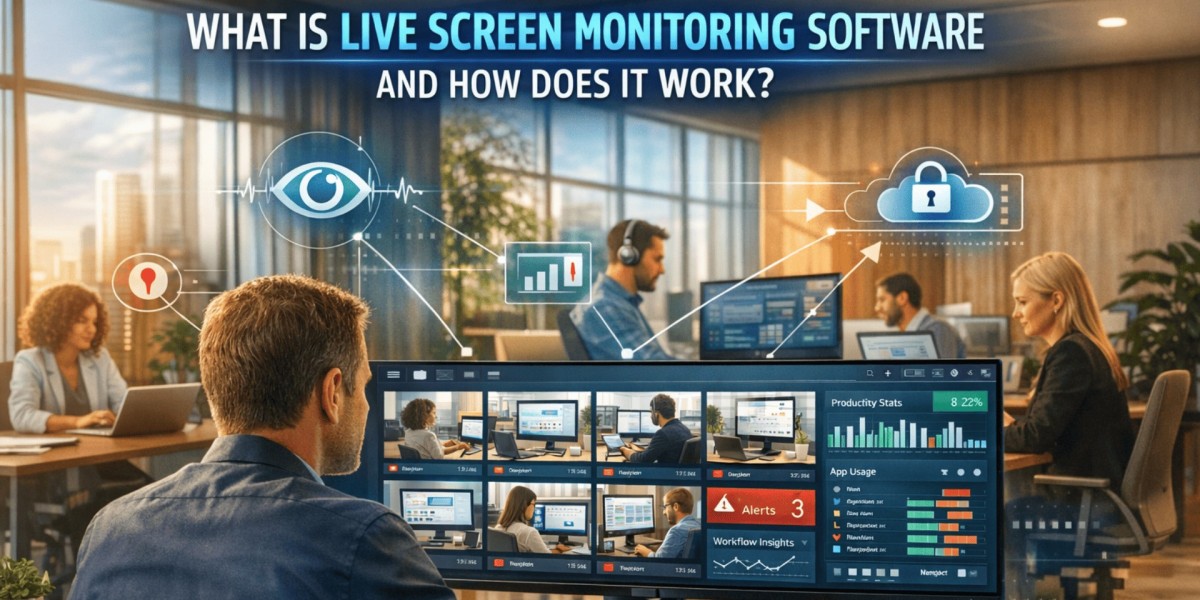
Live screen monitoring software is a technology solution that enables authorized administrators to view employee screens in real time, helping organizations improve oversight, strengthen security, and identify potential risks before they become serious issues. It is commonly used for workforce management, compliance monitoring, remote team supervision, and cybersecurity initiatives.
In simple terms, this software provides a live view of employee computer activity, allowing managers and security teams to monitor workflows, investigate incidents, and support operational efficiency while maintaining organizational policies.
Why Do Businesses Use Screen Monitoring Solutions?
Modern organizations face several challenges, including insider threats, data misuse, productivity concerns, and compliance requirements. Live screen monitoring software helps address these issues by providing visibility into daily digital activities.
Common reasons businesses implement screen monitoring include:
- Improving employee productivity
- Detecting policy violations
- Preventing unauthorized data access
- Supporting remote workforce management
- Investigating security incidents
- Maintaining regulatory compliance
- Enhancing operational transparency
When implemented responsibly and transparently, these tools can create a safer and more efficient work environment.
Key Features to Look For
Not all monitoring platforms offer the same capabilities. Organizations should evaluate features based on their operational and security needs.
Important features include:
Live Screen Viewing
Provides real-time visibility into employee activities across multiple devices.
Session Recording
Records screen activity for future review and incident investigation.
User-Based Monitoring
Allows administrators to filter monitoring by department, team, or individual user.
Activity Alerts
Automatically notifies administrators when predefined rules are triggered.
Remote Supervision
Supports oversight of distributed and hybrid workforces from a centralized location.
Reporting and Analytics
Generates detailed reports that help managers identify trends, productivity patterns, and security concerns.
How Does Screen Monitoring Technology Work?
Screen monitoring solutions operate by capturing and transmitting visual information from employee workstations to a centralized dashboard.
The process generally includes:
1. Activity Collection
A lightweight monitoring agent is installed on company-managed devices. The agent collects screen activity and securely sends it to a monitoring platform.
2. Real-Time Visibility
Authorized administrators can view employee screens as activities occur. This enables immediate identification of unusual behavior, workflow bottlenecks, or security concerns.
3. Data Storage and Review
Many platforms maintain historical records that allow organizations to review previous sessions when conducting audits or investigations.
4. Alerts and Notifications
Advanced solutions can generate alerts when specific activities occur, such as:
- Accessing restricted websites
- Attempting unauthorized file transfers
- Violating company policies
- Using prohibited applications
Benefits for Organizations
Screen monitoring solutions offer advantages beyond simple employee oversight.
Improved Security
Organizations can identify suspicious behavior before it escalates into a significant security incident.
Better Productivity Insights
Managers gain a clearer understanding of how employees use company resources and applications.
Faster Incident Response
Real-time visibility enables quicker investigations and remediation when issues arise.
Compliance Support
Many industries must demonstrate adherence to regulatory requirements. Monitoring tools can provide valuable audit trails and activity records.
Enhanced Remote Workforce Management
With remote and hybrid work becoming standard in many industries, organizations need effective ways to maintain visibility and accountability.
The Role of User Behavior Analytics
Many modern platforms integrate with user activity monitoring software to provide deeper insights into employee actions. Rather than focusing solely on screen visibility, these solutions analyze behavioral patterns, application usage, login activity, file access events, and system interactions.
By combining screen monitoring with behavioral analytics, organizations can:
- Detect insider threats earlier
- Identify risky user behavior
- Improve compliance monitoring
- Strengthen incident investigations
- Reduce security blind spots
This layered approach provides both visual evidence and contextual intelligence for more informed decision-making.
Best Practices for Ethical Implementation
Successful monitoring programs balance organizational security with employee privacy.
Organizations should follow these best practices:
- Clearly communicate monitoring policies.
- Obtain necessary consent where required.
- Define legitimate business purposes.
- Restrict access to monitoring data.
- Implement strong data protection controls.
- Regularly review monitoring procedures.
- Ensure compliance with applicable laws and regulations.
Transparency helps build trust while ensuring monitoring initiatives achieve their intended objectives.
Choosing the Right Solution
When evaluating a screen monitoring platform, consider:
- Scalability
- Ease of deployment
- Security features
- Integration capabilities
- Reporting functionality
- Compliance support
- User experience
- Vendor reputation
Selecting a solution that aligns with organizational goals can significantly improve both operational efficiency and security outcomes.
You can also watch this video: How to Monitor Employee Screens in Real-Time with EmpMonitor
Summary
Screen monitoring technology provides organizations with real-time visibility into employee computer activity, helping improve productivity, strengthen security, and support compliance efforts. By enabling authorized personnel to observe digital workflows and respond quickly to potential issues, these solutions play an increasingly important role in modern workforce management. When implemented transparently and ethically, live screen monitoring software can help organizations create a secure, accountable, and efficient working environment.
Frequently Asked Questions
Is screen monitoring legal?
In many jurisdictions, screen monitoring is legal when organizations follow applicable labor, privacy, and data protection regulations. Requirements vary by region.
Can screen monitoring improve productivity?
Yes. It can help managers identify workflow inefficiencies, training opportunities, and productivity trends across teams.
Does screen monitoring help with cybersecurity?
Yes. Real-time visibility can assist in detecting unauthorized activities, policy violations, and potential insider threats.
Is screen monitoring suitable for remote employees?
Absolutely. Many organizations use monitoring solutions to maintain visibility and accountability across remote and hybrid work environments.
What industries commonly use screen monitoring?
Industries such as finance, healthcare, government, technology, customer service, and manufacturing frequently use monitoring solutions to support security, compliance, and operational oversight.