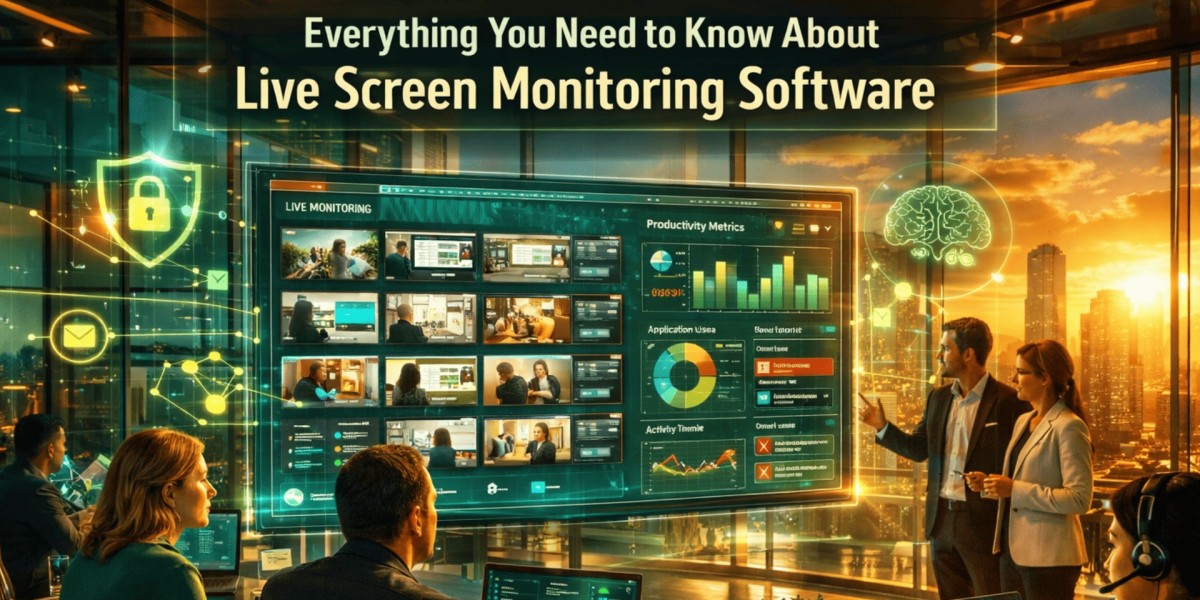

How can organizations understand what employees are working on in real time? How do managers maintain visibility across remote, hybrid, and in-office teams without constantly interrupting employees?
The answer for many organizations is live screen monitoring software. This technology enables authorized managers and administrators to view employee screens in real time, helping businesses improve productivity, strengthen security, and support operational efficiency.
In simple terms, screen monitoring solutions provide visibility into ongoing work activities while generating valuable insights about workflows, application usage, and employee engagement. When implemented transparently and ethically, these tools can help organizations identify bottlenecks, optimize processes, and protect sensitive business information.
How Does Screen Monitoring Technology Work?
Screen monitoring platforms capture and display employee screen activity through a centralized dashboard. With live screen monitoring software, authorized personnel can access real-time views and historical records depending on company policies and system configurations.
Common monitoring capabilities include:
- Real-time screen viewing
- Screenshot capture
- Activity tracking
- Application usage monitoring
- Website activity analysis
- Productivity reporting
- Session recording
- Alerts for unusual behavior
These features allow managers to gain operational visibility, respond more quickly to operational issues, and make informed decisions without relying solely on manual reporting.
Why Businesses Are Increasingly Adopting Monitoring Solutions
Modern workplaces face unique challenges. Remote work, distributed teams, and growing cybersecurity risks have made visibility more important than ever.
Organizations often adopt monitoring solutions to:
Improve Productivity
Managers can identify workflow inefficiencies and understand how time is being spent across projects and tasks.
Support Remote Workforce Management
Remote teams often operate across multiple locations and time zones. Monitoring tools help ensure accountability while providing managers with greater operational awareness.
Strengthen Security
Businesses handling confidential information must protect sensitive data from misuse, accidental exposure, or unauthorized access.
Enhance Training and Coaching
Supervisors can identify areas where employees may need additional support, training, or guidance to improve performance.
Key Features to Look for in a Monitoring Solution
Not all monitoring platforms offer the same capabilities. Organizations should evaluate features based on their operational needs and compliance requirements.
Real-Time Visibility
The ability to view active screens as work happens enables immediate support and faster issue resolution.
Activity Reporting
Comprehensive reports provide insights into productivity patterns, application usage, and work trends.
Custom Alerts
Automated notifications help administrators respond quickly to unusual activities or policy violations.
Role-Based Access Controls
Access permissions ensure that monitoring data is only available to authorized individuals.
Data Security
Strong encryption, secure storage, and compliance support are essential when handling employee activity information.
Benefits Beyond Productivity Tracking
Many organizations initially invest in monitoring technology to improve productivity. However, the benefits often extend much further.
Some additional advantages include:
- Better resource allocation
- Faster identification of operational issues
- Improved compliance management
- Enhanced project oversight
- Stronger protection of confidential information
- More accurate performance assessments
These benefits contribute to better decision-making across departments.
The Role of Monitoring in Cybersecurity
Employee activity visibility has become increasingly important as cyber threats continue to evolve. Internal risks can sometimes pose challenges that are just as significant as external attacks.
This is where insider threat detection software plays an important role. These solutions help organizations identify suspicious behavior patterns, unauthorized access attempts, unusual file transfers, and other activities that may indicate security concerns.
When combined with broader monitoring strategies, businesses can establish stronger safeguards for sensitive information while reducing potential risks associated with insider threats.
Best Practices for Ethical Implementation
Monitoring technology should always be implemented responsibly. Transparency and trust are critical for long-term success.
Organizations should consider the following best practices:
Clearly Communicate Policies
Employees should understand what is being monitored, why monitoring is taking place, and how collected information will be used.
Focus on Business Objectives
Monitoring should support productivity, security, compliance, and operational goals rather than creating unnecessary surveillance.
Respect Privacy Requirements
Companies must comply with applicable labor laws, privacy regulations, and industry-specific standards.
Limit Access to Data
Only authorized personnel should have access to monitoring records and reports.
Regularly Review Monitoring Practices
Organizations should periodically evaluate policies to ensure they remain effective, fair, and compliant.
How to Choose the Right Solution
Selecting the right monitoring platform requires careful evaluation.
Consider the following factors:
- Ease of deployment
- Scalability
- Reporting capabilities
- Integration options
- Security features
- Compliance support
- User experience
- Vendor reputation
- Customer support quality
A solution that aligns with organizational goals will deliver significantly more value than one chosen solely based on price.
Future Trends in Workplace Monitoring
Workplace monitoring technology continues to evolve alongside changing business needs.
Emerging trends include:
- AI-powered activity analysis
- Advanced behavioral analytics
- Predictive productivity insights
- Enhanced compliance automation
- Improved remote workforce visibility
- Smarter risk detection mechanisms
As organizations continue to embrace flexible work environments, live screen monitoring software is expected to become an increasingly important component of workforce management and security strategies.
You can also watch this video: EmpMonitor - Best Employee Monitoring Solution For Business
Summary
Screen monitoring technology provides organizations with real-time visibility into workforce activities, helping improve productivity, strengthen security, support compliance, and optimize operations. Live screen monitoring software enables managers and administrators to observe work activities in real time, providing valuable insights into workflows and employee engagement. When combined with insider threat detection software, these solutions can help identify unusual user behavior, reduce internal security risks, and protect sensitive business data. When implemented transparently and ethically, they can create better accountability while helping businesses improve overall performance and maintain a stronger security posture.
Frequently Asked Questions
What is screen monitoring software?
Screen monitoring software allows authorized administrators and managers to view, track, and analyze employee screen activity for productivity, security, and compliance purposes.
Is screen monitoring legal?
In many regions, monitoring is legal when organizations comply with applicable laws and communicate monitoring policies clearly to employees. Businesses should always consult relevant legal requirements.
Can screen monitoring improve employee productivity?
Yes. By identifying workflow inefficiencies, distractions, and operational bottlenecks, organizations can make data-driven improvements that enhance productivity.
Is screen monitoring only useful for remote teams?
No. Both remote and in-office organizations use monitoring tools to improve visibility, security, compliance, and workforce management.
What industries commonly use monitoring software?
Industries such as IT, finance, healthcare, customer support, business process outsourcing, legal services, and government organizations frequently use monitoring solutions.