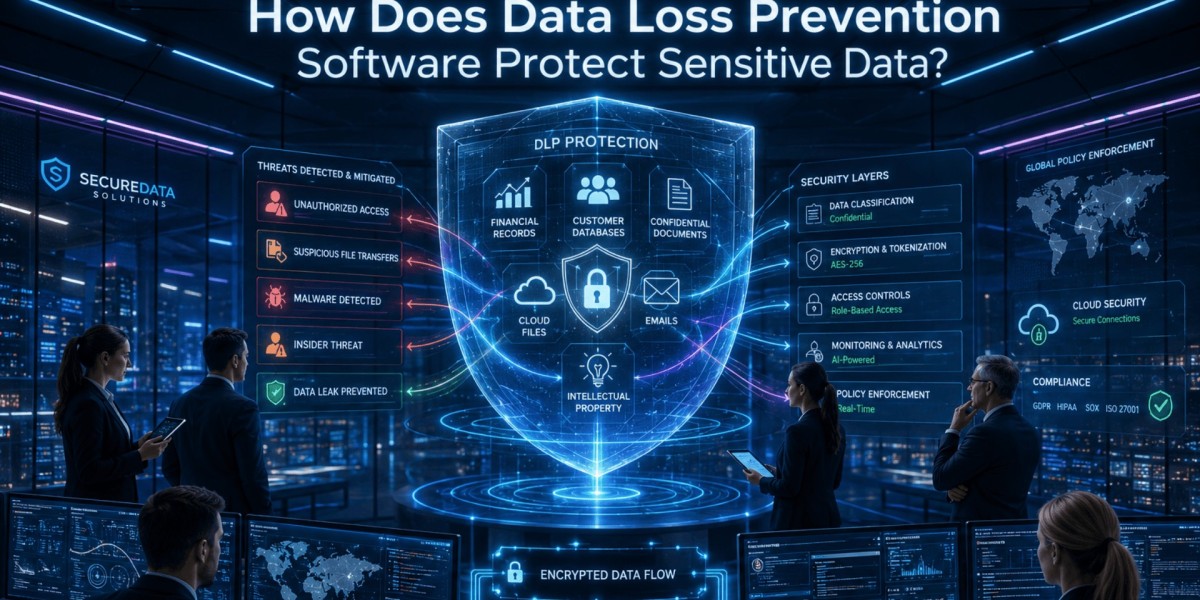

Every organization handles valuable information, from customer records and financial reports to intellectual property and employee data. But as businesses become more digital, the risk of accidental leaks, insider threats, and cyberattacks continues to grow.
What is data loss prevention software?
Data loss prevention software is a security solution that identifies, monitors, and protects sensitive information from unauthorized access, sharing, or exposure. It helps organizations prevent data breaches, meet compliance requirements, and maintain control over critical business information.
In today's threat landscape, protecting sensitive data is no longer optional. Businesses need proactive strategies to safeguard information wherever it is stored, used, or transmitted.
Why Is Data Protection More Important Than Ever?
Modern workplaces operate across multiple devices, cloud platforms, and remote environments. While this flexibility improves productivity, it also creates more opportunities for data exposure.
This is where data loss prevention software plays a critical role by monitoring sensitive information, enforcing security policies, and preventing unauthorized data transfers across networks, devices, and cloud applications.
Common causes of data loss include:
- Accidental file sharing
- Employee negligence
- Insider threats
- Malware and ransomware attacks
- Unauthorized cloud storage usage
- Lost or stolen devices
Without proper safeguards, even a small mistake can result in significant financial and reputational damage.
Understanding How Data Protection Solutions Work
These solutions continuously monitor how information moves throughout an organization. They classify sensitive data and apply security policies based on predefined rules.
Key activities include:
- Identifying sensitive information
- Monitoring user activity
- Detecting risky behavior
- Blocking unauthorized transfers
- Generating security alerts
- Supporting compliance reporting
This proactive approach allows businesses to stop potential incidents before they become major security breaches.
Key Features Organizations Should Look For
When evaluating a security platform, understanding its core capabilities is essential.
Data Discovery and Classification
The system scans files, databases, emails, and cloud applications to locate sensitive information. It then categorizes data based on importance and risk level.
Examples include:
- Customer records
- Payment information
- Healthcare data
- Intellectual property
- Financial documents
Real-Time Monitoring
Continuous monitoring helps security teams track how information is accessed, modified, and shared.
This visibility enables faster detection of unusual or suspicious activities.
Policy-Based Protection
Organizations can create customized policies that automatically enforce security standards.
For example:
- Block unauthorized file transfers
- Restrict USB device usage
- Prevent confidential documents from being emailed externally
Incident Response and Reporting
Detailed reports provide insights into security events and policy violations. These reports help organizations investigate incidents and improve future protection strategies.
Benefits for Businesses
Implementing data loss prevention software offers several advantages beyond basic security.
Reduced Risk of Data Breaches
By detecting risky actions before information leaves the organization, businesses can significantly reduce the likelihood of costly breaches.
Improved Regulatory Compliance
Many industries must comply with regulations governing data privacy and protection.
Examples include:
- GDPR
- HIPAA
- PCI DSS
- ISO security standards
Automated monitoring and reporting make compliance management easier and more efficient.
Better Visibility Into Data Usage
Organizations gain a clearer understanding of where sensitive information resides and how employees interact with it.
This visibility helps identify vulnerabilities and strengthen internal controls.
Stronger Customer Trust
Customers expect businesses to protect their information. Demonstrating strong security practices can improve credibility and strengthen long-term relationships.
Protecting Remote and Hybrid Work Environments
Remote work has transformed how employees access company resources. While convenient, it introduces additional security challenges.
Organizations must protect data across:
- Laptops
- Mobile devices
- Home networks
- Cloud applications
- Collaboration platforms
A modern protection strategy helps maintain security regardless of employee location.
Businesses that already use field force management software can especially benefit from stronger data controls because mobile employees frequently access and share business-critical information outside traditional office environments.
Best Practices for Successful Implementation
Technology alone cannot eliminate security risks. Organizations should combine tools, policies, and employee education.
Establish Clear Data Policies
Define:
- What information is sensitive
- Who can access it
- How it can be shared
- Where it can be stored
Train Employees Regularly
Security awareness training helps employees recognize common risks and avoid accidental mistakes.
Topics should include:
- Phishing attacks
- Password security
- Safe file sharing
- Remote work security
Monitor and Update Policies
Business operations evolve over time. Security policies should be reviewed regularly to address new threats and changing compliance requirements.
Integrate With Existing Security Tools
Combining protection platforms with endpoint security, identity management, and threat detection systems creates a more comprehensive security framework.
Choosing the Right Solution
Not every organization has the same security needs. When evaluating options, consider:
- Scalability
- Ease of deployment
- Cloud compatibility
- Reporting capabilities
- Compliance support
- Integration options
- User experience
The right solution should align with both current requirements and future business growth.
You can also watch this video: How Does Data Loss Prevention Software Protect Sensitive Data?
Summary
Sensitive information is one of the most valuable assets any organization possesses. Data loss prevention software helps businesses identify, monitor, and protect critical information from accidental exposure, insider threats, and cyberattacks. By combining automated monitoring, policy enforcement, employee training, and ongoing security management, organizations can reduce risk, strengthen compliance efforts, and maintain customer trust in an increasingly digital world.
Frequently Asked Questions
What does data loss prevention software do?
It identifies, monitors, and protects sensitive information from unauthorized access, sharing, or exposure across networks, devices, and cloud environments.
Who needs a data protection solution?
Any organization that handles customer data, financial records, intellectual property, or confidential business information can benefit from implementing protective measures.
Can it help with regulatory compliance?
Yes. Many solutions support compliance efforts by monitoring sensitive information, enforcing policies, and generating audit-ready reports.
Does it protect cloud-based data?
Modern platforms typically provide protection for cloud applications, remote devices, and hybrid work environments.
What is the biggest benefit for businesses?
The primary benefit is reducing the risk of costly data breaches while improving visibility, compliance, and overall information security.